
Anderson Araujo
Controllers
-
Joined
-
Last visited
-

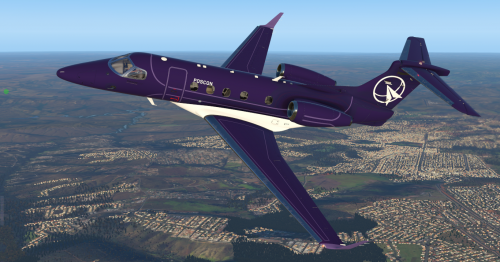 Drop the POSCON WHITE and POSCON PURPLE folders in your X-Plane 11\Aircraft\Aerobask_Phenom_300\liveries folder, restart X-plane, then select the POSCON livery from the Phenom drop down.Free
- 1 review
-
-

- 1
-
-
until
Sector: SBRE.SBSV.SBSV.SV1FLY-IN monthly event. -
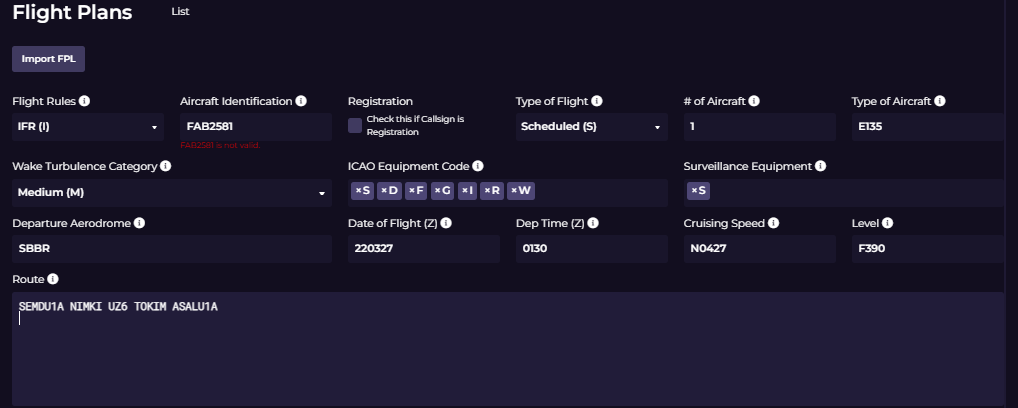
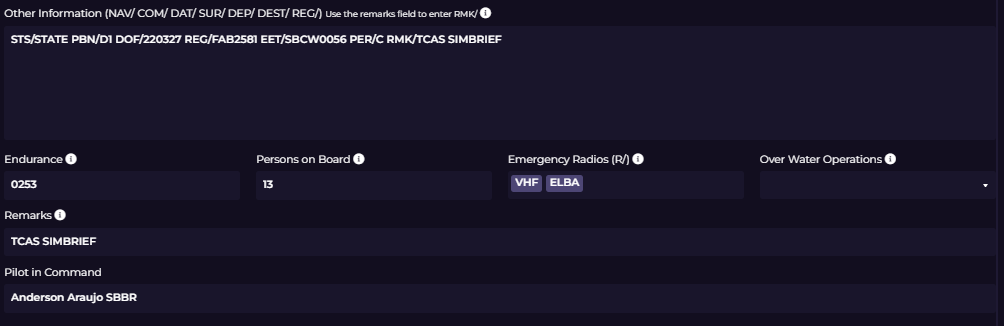
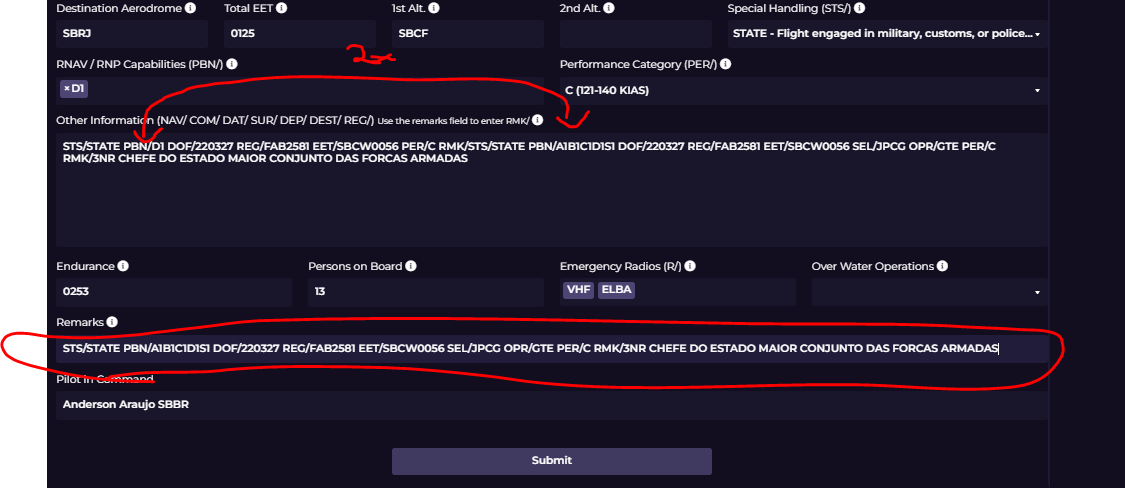
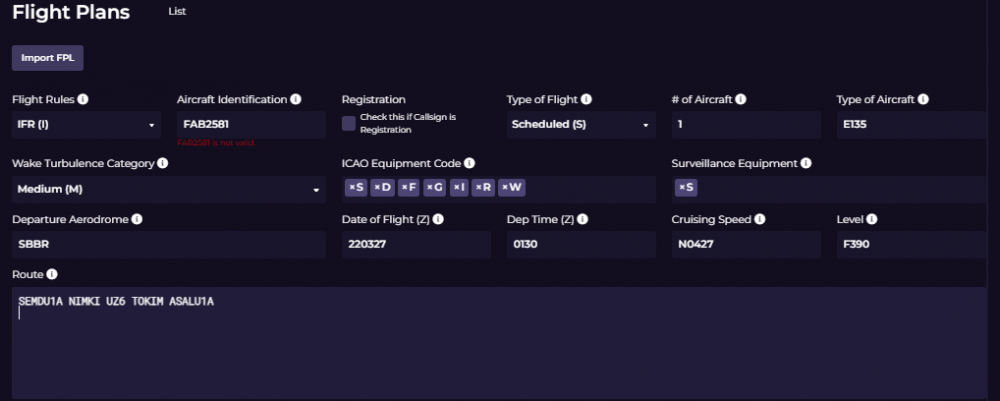
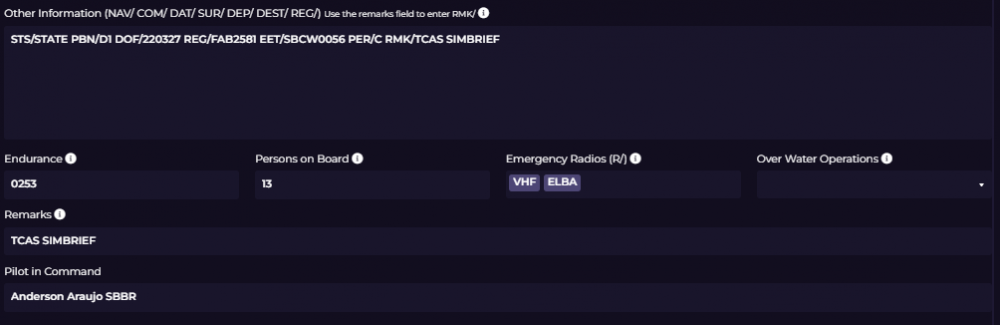
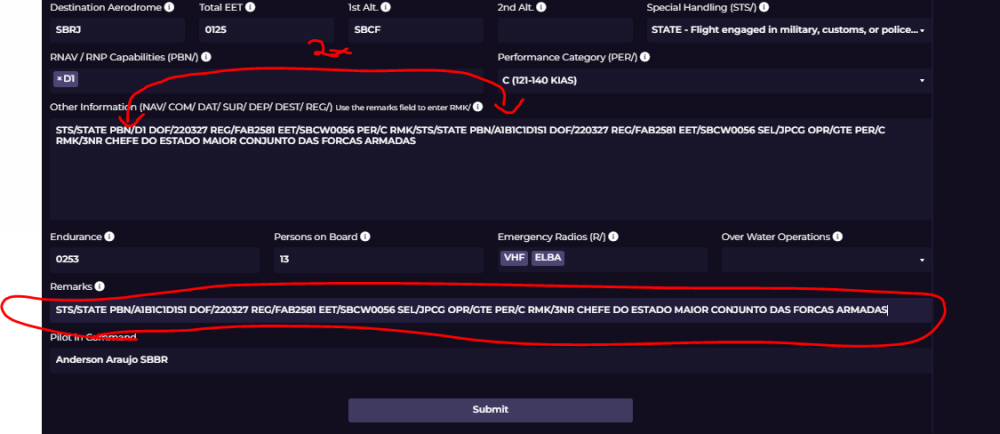
I have a problem filling out the flight plan. Let's say I want to do a Brazilian Air Force military flight. The correct flight plan in Brazilian national territory would be Flight Rules: IFR Aircraft ID: FABxxxx (xxx) any aircraft registration number / Check if the callsign is a record, YES it is a record. only that when I check this option it does not release, because it says that FABxxxx is not valid. ========================================================== ===== Second little problem: Other Information. There are some options that we need to put in this field that are not released, for example REG/ if checked up there with that error, it appears down here, but if you uncheck the box up there, the error up there disappears, but down here the reg pulls anyone other than the FABxxx. SEL/ There is no way to put it OPR/ There is no way to edit, for example. in the air force we have several squadrons that enter the OPR/ eg OPR/1 1GTT, OPR/GTE, OPR/BRS. RMK/ This option would be where we would put, for example, who is being transported, as an example in the image. adding this information in Remarks everything gets duplicated and doesn't help much, I will send some sample images ========================================================== ===== It would be very interesting, and of course if possible I would be very happy for this update. Release the edition of Other information with the information that was needed.
-
until
Sector: SBBS.SBWR.SBWR.WR1Booking for SBBS.SBWR.SBWR.WR1 created on the POSCON HQ. -
until
Sector: SBBS.SBWR.SBWR.WR1Booking for SBBS.SBWR.SBWR.WR1 created on the POSCON HQ.