
.png.c2e7fc8fbe1102132629270d72922c50.png)
Emiliano Rujano
Members
-
Joined
-
Last visited
Everything posted by Emiliano Rujano
-
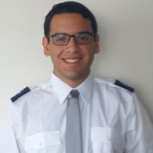 Hi everyone! My name is Emiliano Rujano, I'm CEO and Funder of Roraima Airlines (http://www.flyroraima.com/) the most recent Venezuelan virtual airline, and member airline of the GlobalOne Alliance (http://globalonealliance.com/) my home airport is SVVA but I'm currently based at SCEL, flight simming fir the past 7 years, and commercial pilot student, I look forward to enjoy the best network experience with my airline within POSCON which has proven to be very promising and an amazing network to fly for fligth enthusiast!
