
Jeffory (1019919)
Developers
-
Joined
-
Last visited
-
 Rev 5 4/12/2021 - added cjs/worldtraffic dataref descriptions. Rev 4 4/5/2021 - added the notes on IACO code validation for aircraft and airlines - added minimum model standards - added xsb_aircraft.txt section w/ AIRLINE CODE variants for GA aircraft - moved single OBJ/multiple texture paragraph to new xsb_aircraft section Rev 3 3/14/2021 - indicated spoiler_ratio is ignored and speed_brake_ratio should be used for that purpose. - re-ordered this change log so most current is at the top. Rev. 2 3/7/2021 - Added support for single OBJ/multiple texture format Rev. 1 8/28/2020 - Added light datarefs
 -
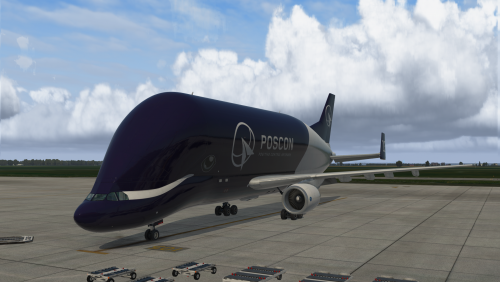 Drop the POSCON folder in your X-Plane 11/Aircraft/Beluga/liveries folder. Restart X-plane. Select the "POSCON" livery from the Beluga drop down menu.Free
 -
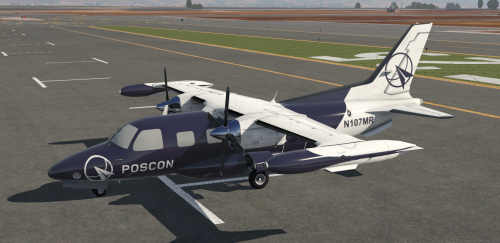 Drop the contents of this zip file in your X-Plane 11/Aircraft/Mitsubishi MU-2B-60/liveries folder.Free
 -
-
I'm afraid that's the case. The SF50 is only available for X-Plane users. If your friends are using FSX:SE/P3D or MSFS they won't see you as the VisionJet.
-
Are your friends flying in X-Plane as well, or in another sim?
-
-
It is OSHKOSH season.... I'd like to suggest Monday night August 3rd at 8:00pm EDT (0000z+1) as a shotgun start fly-in to KOSH. If this suits, I could throw together a briefing to outline a few untowered fields within an hour to two flight from KOSH that users could randomly pick (and perhaps sign up) to depart from.