
Jump to content
View in the app

A better way to browse. Learn more.

POSCON

A full-screen app on your home screen with push notifications, badges and more.

To install this app on iOS and iPadOS
  1. Tap the Share icon in Safari
  2. Scroll the menu and tap Add to Home Screen.
  3. Tap Add in the top-right corner.
To install this app on Android
  1. Tap the 3-dot menu (⋮) in the top-right corner of the browser.
  2. Tap Add to Home screen or Install app.
  3. Confirm by tapping Install.

Support Documents

Rankings
Revision: 31 Dec 2021

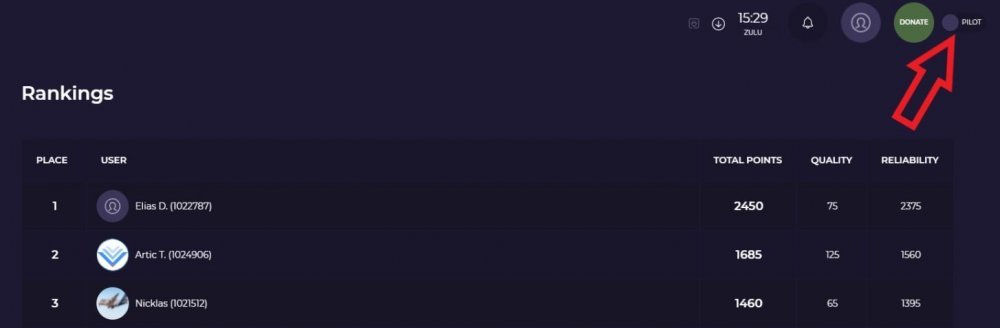
This is where you would find the top pilots and Air Traffic Controllers on our network.
1156448058_rankingpage.thumb.JPG.ba8ddd2d580907f620ed6f6ae3abba80.jpg.a61c95ea87acbbb03ba424ef6e6e1981.jpg

You can see everyone ranking on this section. On the top right (Red arrow) you can switch between PILOT or ATC, to see how got the most points as a pilot and how has the most points as an Air Traffic Controller. You can read this section here to understand how to get points on our network: Points system

Important Information

By using this site, you agree to our Terms of Use, Privacy Policy, and Guidelines.

Account

Navigation

Search

Configure browser push notifications

Chrome (Android)
  1. Tap the lock icon next to the address bar.
  2. Tap Permissions → Notifications.
  3. Adjust your preference.
Chrome (Desktop)
  1. Click the padlock icon in the address bar.
  2. Select Site settings.
  3. Find Notifications and adjust your preference.